 PrimetimeGeek independent technology journalism · relaunched 2026
Should you switch to passkeys? A practical guide to moving beyond passwords
Passkeys can stop many phishing attacks and remove the burden of inventing passwords. The difficult part is not signing in — it is understanding where credentials sync, how recovery works and what happens when a device disappears.
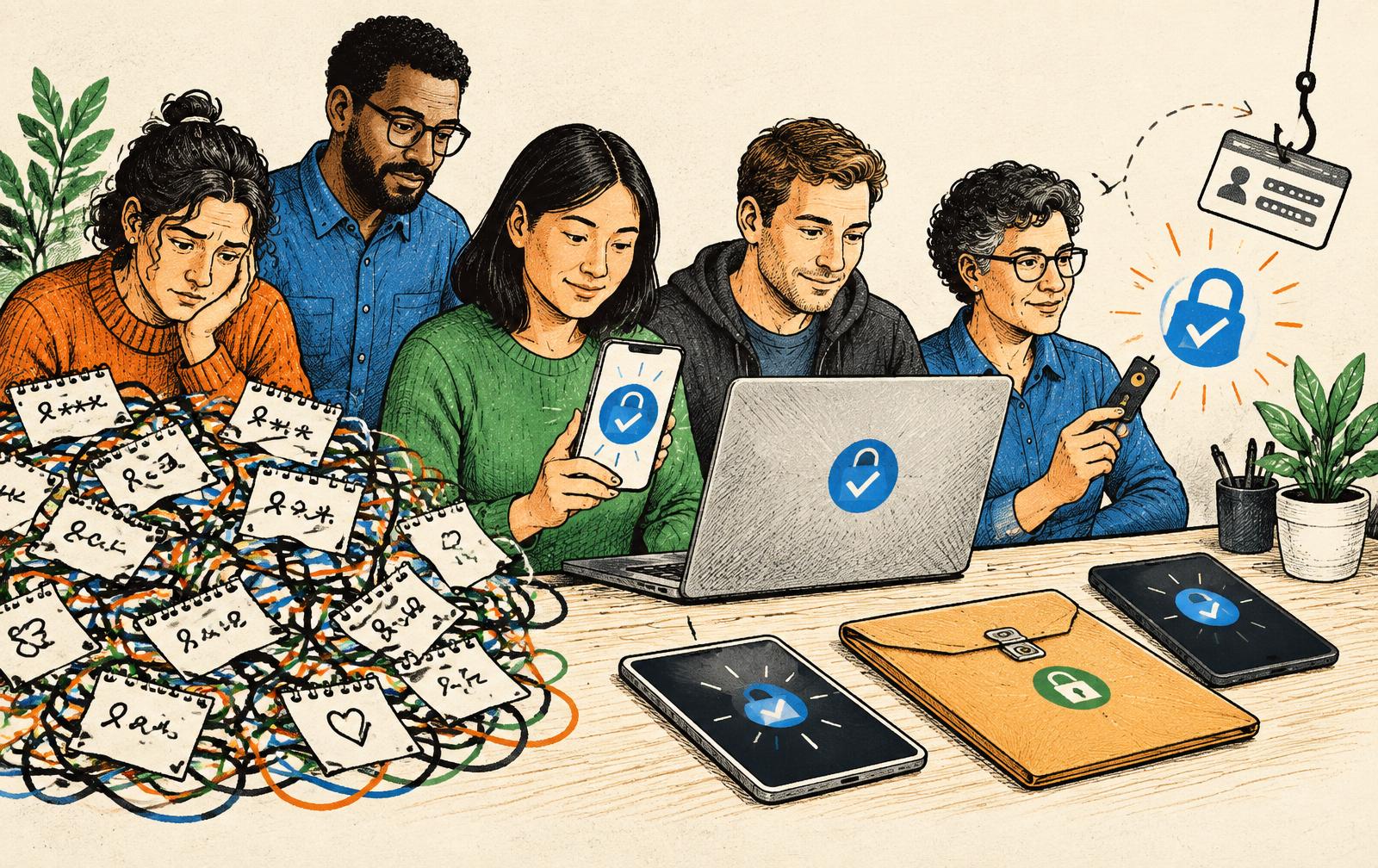
Passwords have spent decades failing in predictable ways. People reuse them, attackers steal them through convincing sign-in pages, and companies lose databases containing material that can be cracked or replayed. Passkeys are the technology industry's most serious attempt to replace that model for ordinary users. They can make signing in easier and can block a large class of phishing attacks, but the word passkey often hides the decisions a person still has to make about devices, synchronization and recovery.
This guide is for people and small organizations in the United States deciding whether to adopt passkeys where they are offered. It does not rank password managers, device makers or identity providers. The technical claims come from the WebAuthn standard and current federal digital-identity guidance; the migration advice is editorial judgment based on those properties. Services implement recovery differently, and their current help pages remain part of the decision.
The short answer
Use a passkey for an important account when you understand where it will be stored, have at least one tested way to sign in if your main device is lost, and can review or remove old credentials from the account. Keep a password manager for accounts that have not adopted passkeys and for recovery codes or other secrets that still exist. Do not delete every fallback merely because one successful passkey sign-in felt effortless.
For most consumers, passkeys are a meaningful security improvement over a password plus a text-message code because a legitimate passkey is bound to the real website or application. A look-alike phishing page cannot ask the authenticator to produce a valid signature for a different site. That does not make the whole account phishing-proof: an attacker may still target customer support, email recovery, an existing session or a weaker fallback method.
What a passkey is — and what it is not
A passkey is a WebAuthn credential built from public-key cryptography. When an account creates one, the authenticator keeps a private key and the service receives a public key. At sign-in, the service sends a challenge and the authenticator signs it after the user unlocks the device with a local method such as a fingerprint, face scan or device PIN. The service verifies the signature without receiving the private key or the biometric.
That last distinction matters. Your fingerprint is normally used by the phone, computer or security key to authorize use of the credential; it is not sent to every website as a replacement password. The passkey is also not necessarily one physical object. Some passkeys remain on a hardware security key or one device. Others are synchronized across devices by the account system or credential manager that created them.
The standard describes how authentication works. It does not require every service to use the same enrollment, synchronization, device-transfer or account-recovery experience. Those product-level differences explain why two sites can both support passkeys yet feel very different when a phone is replaced.
Why passkeys resist ordinary phishing
A password is a reusable secret. If a user types it into the wrong page, the attacker can often present the same string to the real service. A WebAuthn credential is associated with a specific relying party — generally the legitimate domain. The browser and authenticator participate in checking that relationship, so a credential created for one site does not authenticate a deceptive look-alike domain.
NIST's current digital-identity guidance treats WebAuthn credentials as phishing-resistant when they meet the relevant requirements. That is a precise claim about the authentication ceremony, not a promise that no attacker can take over the account. Malware running with sufficient control of an unlocked device, theft of a live session cookie, coerced approvals, insecure recovery and social engineering against support staff remain separate risks.
The three passkey decisions hidden behind the sign-in button
1. Where will the credential live?
Before creating a passkey, identify its provider and storage model. It may sync through a platform account, live in a cross-platform credential manager, remain only on a particular phone or computer, or sit on a separate hardware security key. The correct choice depends less on brand loyalty than on the devices and operating systems you actually use.
A person who stays within one device ecosystem may find synchronized passkeys nearly invisible. A household or business that routinely crosses operating systems should test the exact combination before migrating an essential account. Cross-device sign-in can use a nearby device and a QR-mediated flow, but availability and user experience vary. Do not assume that seeing the word passkey on two devices means the same credential will automatically appear on both.
2. What happens when the main device is gone?
Loss recovery is the most important test. A synchronized passkey may return when a replacement device signs into the same protected platform account. A device-bound credential will not. A hardware security key can be an independent backup, but only if the account lets you register more than one authenticator and the spare is stored securely.
Recovery can also reintroduce the weakness that passkeys removed. If a service falls back to a reusable password, a text message or easily persuaded support agent, attackers may simply choose that path. Look at the full recovery sequence, not only the passkey setup screen. Ask what identity evidence is required, whether recovery triggers alerts, how long it takes and whether old devices can be revoked.
3. Which fallback methods remain?
Many services add passkeys without eliminating passwords. This is useful during a transition but means the old password remains an attack path. After confirming that passkey access and recovery work, inspect the account's security settings. Remove obsolete phone numbers, unknown devices and passkeys you no longer control. Where the service permits it, replace weak fallback methods with recovery codes stored offline or a second strong authenticator.
There is no prize for becoming passwordless before the account is recoverable. The aim is to reduce exploitable paths while preserving legitimate access, not to produce the smallest possible list of sign-in options.
A safe migration in seven steps
1. Start with the account that protects other accounts. Your primary email account is often the recovery channel for everything else. Secure it carefully, but do not make it the first experiment if you have never tested passkeys. Begin with a lower-consequence account, learn the flow, then return to email.
2. Update and lock every participating device. Use supported software, full-device encryption where available and a strong local PIN or password. A passkey does not compensate for an unlocked, unmaintained device.
3. Write down the storage model. Record whether the passkey syncs, which account or manager syncs it, and which devices can use it. Do not record a private key; record the recovery map.
4. Enroll a second route before removing anything. That may be another device, a separate hardware key or a service-specific recovery mechanism. Keep the backup physically and logically separate from the main device.
5. Test from a clean starting point. Sign out, close the session and sign in on a second supported device or browser. A passkey that only works inside an existing session has not passed a recovery test.
6. Save recovery codes properly. If the service issues one-time codes, keep them somewhere available when the phone and laptop are not — for example, a secure offline copy or an appropriately protected password-manager vault. Do not leave the only copy in the email account it is meant to recover.
7. Review the account after a week. Remove credentials for devices you do not recognize or control, confirm security alerts reach you and decide whether the password fallback can safely be disabled.
Passkeys do not make password managers obsolete
The transition will be uneven. Some accounts will support synchronized passkeys, some will support only device-bound credentials, some will keep a password fallback, and many will remain password-only. A password manager still provides unique passwords for those accounts and can hold recovery codes and other non-password secrets. Some managers also store passkeys, which may help people who move across operating systems — but it makes the manager account and its recovery process more consequential.
Evaluate that concentration of risk honestly. Convenience comes from having one protected system make credentials available across devices. The corresponding responsibility is to secure that system strongly, understand its recovery rules and monitor changes to it.
Guidance for small organizations
A company should not announce a passwordless deadline based on a successful executive demo. Inventory the applications that support passkeys or hardware-backed WebAuthn, distinguish workforce sign-in from customer sign-in, and identify the legacy systems that will still require passwords. Then run a pilot representing remote workers, shared workstations, accessibility needs, multiple operating systems and device-replacement scenarios.
Support procedures deserve the same testing as authentication. Help-desk staff need a high-confidence recovery process that does not let an urgent caller talk around the controls. Organizations should be able to revoke credentials when a worker leaves, preserve access when a managed device is replaced, and log enrollment and recovery events. A rollout is incomplete until those routine failures work.
For administrators selecting an authentication approach, NIST assurance levels, applicable regulation and the organization's threat model matter. Consumer convenience advice is not a substitute for an identity architecture review in healthcare, finance, government or other high-impact settings.
Common misunderstandings
- “My face or fingerprint is sent to the website.” In normal platform authentication, the biometric unlocks the authenticator locally; the website receives cryptographic proof, not the biometric template.
- “A passkey can never be stolen.” The private key is designed not to be exposed to the service, but compromised devices, stolen live sessions and weak account recovery can still cause takeover. Security claims should describe the threat blocked, not declare absolute safety.
- “Passkeys always sync.” Some do and some are device-bound. Storage and synchronization depend on the authenticator and provider.
- “One passkey means I can delete every fallback.” Only after a tested alternate route exists and the service's recovery process is understood.
- “Passkeys solve company access immediately.” Deployment also requires lifecycle management, support, revocation, audit logs and coverage for applications that have not adopted the standard.
The evidence boundary
The strongest evidence is architectural: public-key credentials scoped to the legitimate service remove the reusable shared secret that ordinary credential phishing seeks to capture. Standards and federal guidance support calling properly implemented WebAuthn authentication phishing-resistant. Those facts do not establish a universal percentage reduction in account takeover for every population, because outcomes depend on implementation, fallback methods, device security and attacker behavior.
Claims about convenience are also conditional. A well-integrated synchronized passkey can be faster than entering a password and code. Recovery across mixed devices or after losing access to the synchronization account can be more confusing. There is no single controlled, independent study that proves one passkey storage model is best for every user.
The practical conclusion
Passkeys deserve adoption, not blind adoption. Move important accounts when the service supports a clear implementation, but treat recovery as part of the security design rather than an emergency to think about later. Keep two tested routes, know where credentials live, protect the account that synchronizes them and retire weaker fallbacks only when doing so does not create a lockout trap.
Passwords will remain part of daily life for years. The useful goal is not to declare them dead. It is to stop depending on a phishable, reusable secret wherever a mature passkey option and a workable recovery plan are available.
Sources
- NIST, Digital Identity Guidelines: Authentication and Authenticator Management (SP 800-63B-4)
- W3C, Web Authentication: An API for accessing Public Key Credentials — Level 3
- FIDO Alliance, Passkeys overview and deployment resources
- CISA, Secure Our World: Use Strong Passwords
- Apple Support, About the security of passkeys